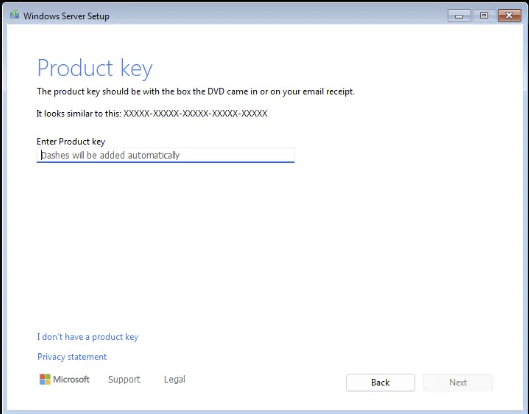
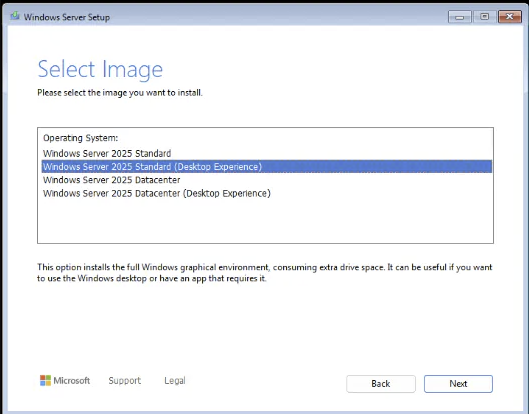
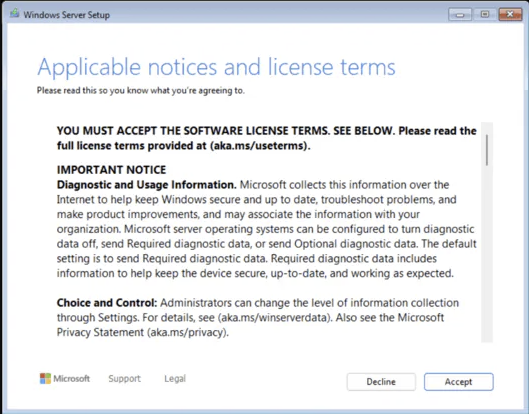
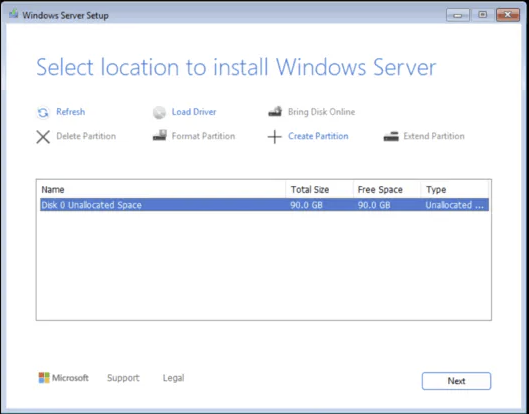
Via Command Prompt (run as administrator):
- Install the key:
slmgr /ipk XXXXX-XXXXX-XXXXX-XXXXX-XXXXX
- Activate online:
slmgr /ato
- Verify:
slmgr /dlv
The license status should read Licensed — permanent, with no expiry.
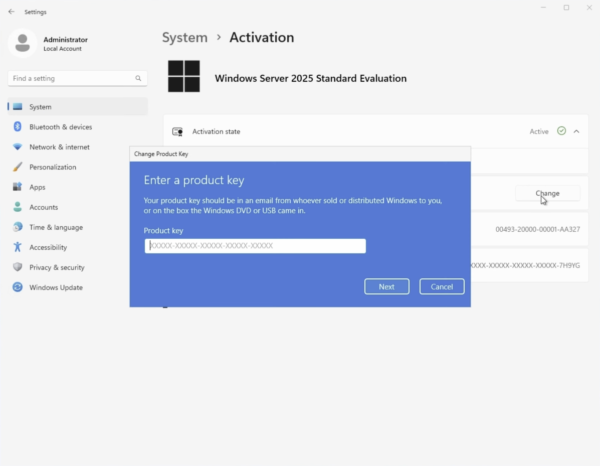
Installed the evaluation version? Convert it to the full version
If you installed from Microsoft’s download page and see a 180-day time limit, there’s no need to reinstall — convert the evaluation in place with your product key:
- Open Command Prompt as administrator.
- Optionally, check the available target editions:
DISM /online /Get-TargetEditions
- Run the conversion with your key:
DISM /online /Set-Edition:ServerStandard /ProductKey:XXXXX-XXXXX-XXXXX-XXXXX-XXXXX /AcceptEula
- The server reboots twice; afterwards, verify with
slmgr /dlv — the countdown is gone and the server is fully licensed.
Convert before promoting the server to a domain controller — DISM can’t change the edition of a DC. If it’s already one, demote it, convert, then promote again.
Post-activation recommendations
- Add roles and features through Server Manager — Active Directory, DNS, DHCP, file services, or Hyper-V as your infrastructure requires.
- Enable automatic updates or set a patching schedule — server security depends on it.
- Harden the basics: configure the firewall, enable Microsoft Defender, and schedule regular backups before the server goes into production.
Frequently asked questions
Is Windows Server 2025 a free upgrade?
No — like every major version, it requires a new license. You can buy a
Windows Server 2025 Standard product key from Flixeasy at a fraction of retail price.
Can I download Windows Server 2025 for free?
Microsoft offers a free 180-day evaluation on its official download page. It’s fully functional, and once you have a product key it converts directly to the full version with the DISM command above — nothing you configured is lost.
What’s new in Windows Server 2025?
Highlights include hotpatching (fewer reboots for updates), improved Active Directory security, NVMe storage performance gains, SMB over QUIC for secure remote file access, and next-gen Hyper-V with GPU partitioning.
Is Windows Server 2025 a one-time purchase?
Yes — the license is perpetual. Pay once, use it for the server’s lifetime, no subscription or renewal fees.
Can I install Windows Server 2025 on a virtual machine?
Yes — Hyper-V, VMware, VirtualBox, and Proxmox all support it. Standard edition licensing covers up to two virtual machines on licensed hardware; for unlimited VMs, look at
Windows Server 2025 Datacenter.
Get your Windows Server 2025 Standard key
Genuine license with instant email delivery, ISO download link included, lifetime activation and no subscription.
Shop Windows Server 2025 keys