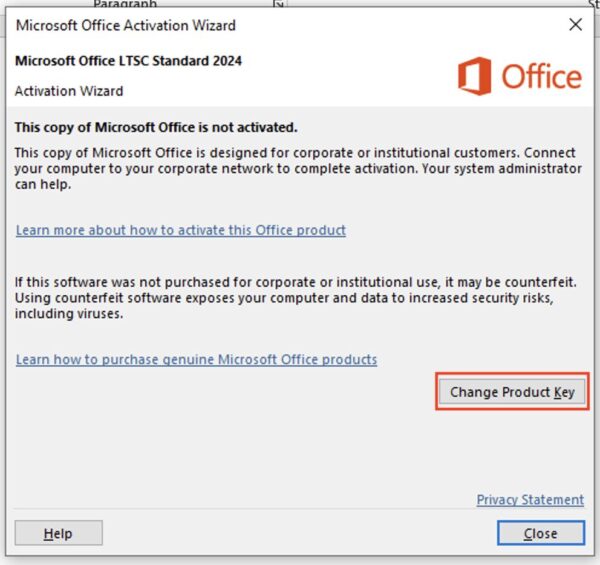
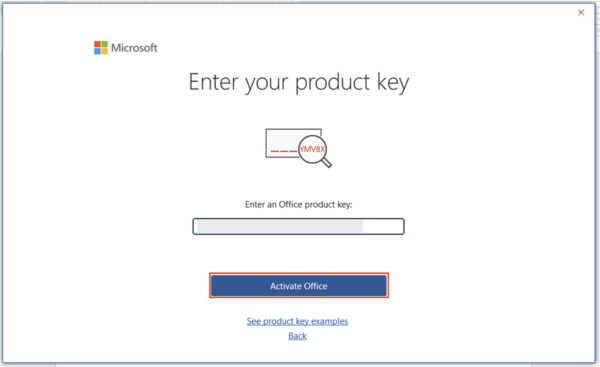
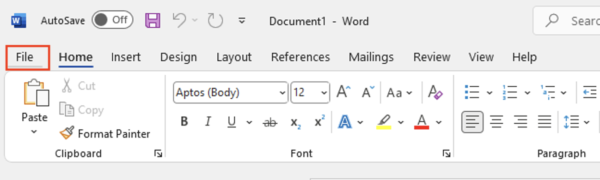
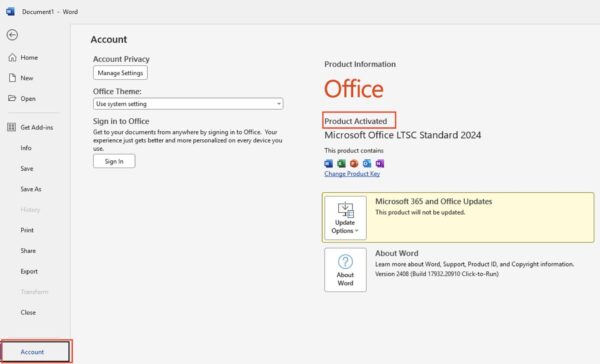
Activation error? Activate by telephone
- In the Activation Wizard, select “I want to activate the software by telephone” and click Next.
- The wizard displays your Installation ID. To get your Confirmation ID, use our free tool: Get Confirmation ID.
- On that page, paste your Installation ID into the Installation ID field and enter your Tempcode (shown next to your product key in the delivery email).
- Click Get CID and copy the Confirmation ID you receive into the wizard’s Confirmation ID fields.
- Click Next — the wizard confirms successful activation, and Office 2024 Standard is fully licensed.
If the telephone activation process is not clear, you can find a demonstration of this step in
“Step 4 — Activate with Your Product Key” in our
Office 2021 Professional Plus Activation Guide
Alternative method — install with the Office Deployment Tool
Prefer installing directly from Microsoft’s servers? Use the free Office Deployment Tool:
- Download the ODT from the official Microsoft Download Center and extract it to
C:\Office2024Setup.
- Create a
configuration.xml file in that folder with Notepad:
<Configuration>
  <Add OfficeClientEdition="64" Channel="PerpetualVL2024">
    <Product ID="Standard2024Volume" PIDKEY="XXXXX-XXXXX-XXXXX-XXXXX-XXXXX">
      <Language ID="en-us" />
    </Product>
  </Add>
  <RemoveMSI />
  <Display Level="None" AcceptEULA="TRUE" />
  <Property Name="AUTOACTIVATE" Value="1" />
</Configuration>
Replace the Xs with your product key. Note the product ID is Standard2024Volume — this is what makes it install the Standard edition.
- Open Command Prompt as administrator and run:
cd C:\Office2024Setup
setup.exe /configure configuration.xml
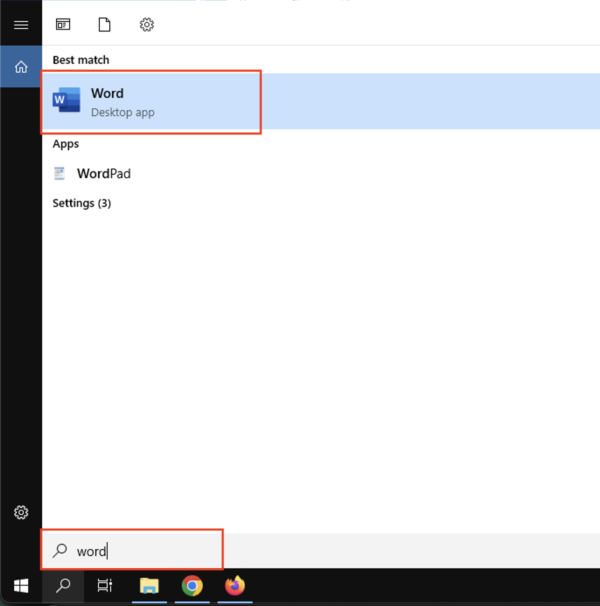
- Office installs silently in the background — it’s done when the apps appear in your Start menu, and the key in the configuration file activates automatically.
Frequently asked questions
What does LTSC mean in Office LTSC 2024 Standard?
Long-Term Servicing Channel — a stable release with security updates only, no feature churn and no forced upgrades. It’s the edition businesses standardize on for reliability.
Is Office 2024 Standard a lifetime license?
Yes — a perpetual, one-time purchase with no expiry date, no renewal fees and no subscription.
What’s the difference between Office 2024 Standard and Professional Plus?
Professional Plus adds Microsoft Access on top of Standard’s Word, Excel, PowerPoint, Outlook and OneNote. If you don’t need a desktop database, Standard covers everything most users touch daily.
Do I need a Microsoft account?
No — Office 2024 Standard LTSC activates with your product key directly, and the telephone method works entirely without an account.
Can I install it on a Mac?
No — it runs on Windows 10 and 11 only. For Apple devices, see our
Office for Mac keys.
Can I use one key on multiple PCs?
Each key activates one device. For several machines, contact us via the
contact page for volume pricing on bulk orders.
Does Office work offline after activation?
Yes — internet is only needed for the download and activation. After that, the full suite works completely offline.
Get your Office 2024 Standard LTSC key
Genuine product key with instant email delivery, download link included, lifetime activation and no subscription.
Buy Office 2024 keys