⚡ Instant Delivery — Genuine Microsoft Product Keys Emailed in Seconds

Volume Licences | Bulk orders

How to Download, Install, and Activate Office 2021 Professional Plus

Ready to unlock the full power of Microsoft Office with Office 2021 Professional Plus? Whether you’re upgrading from an older version or installing Office for the first time, this guide walks you through the entire process — downloading, installing, and activating Office 2021 Professional Plus step by step, including the telephone activation method if online activation shows an error.

Don’t have a key yet? Get a genuine Office 2021 Professional Plus product key from Flixeasy — instant email delivery, lifetime activation for 1 PC, no subscription.

Step 1 — Check the system requirements

ComponentMinimum requirement
Operating systemWindows 10 or later (64-bit recommended)
Processor1.6 GHz or faster, 2-core
RAM4 GB or more
Storage4 GB of available disk space
Display1280 × 768 or higher
.NETSome features require .NET 3.5 or 4.6+

Step 2 — Download Office 2021 Professional Plus

You have two options for the download:

Option 1 — Use the download link from your delivery email (recommended)

Use the download link we share with you in your delivery email — it’s a direct .exe file that downloads the complete Office 2021 Professional Plus package in one click. No sign-in needed, no version to choose: just download and you’re ready to install.

Option 2 — Download from Microsoft

  1. Go to Microsoft’s official Office download page.
  2. Sign in with your Microsoft account if prompted.
  3. Select Office 2021 Professional Plus from the available options.
  4. Download the installation file (an .exe for Windows).

Office 2021 Professional Plus download page at Microsoft

Step 3 — Install Office 2021 Professional Plus

  1. Double-click the downloaded installation file to run it.
  2. Accept the license terms and follow the on-screen prompts.
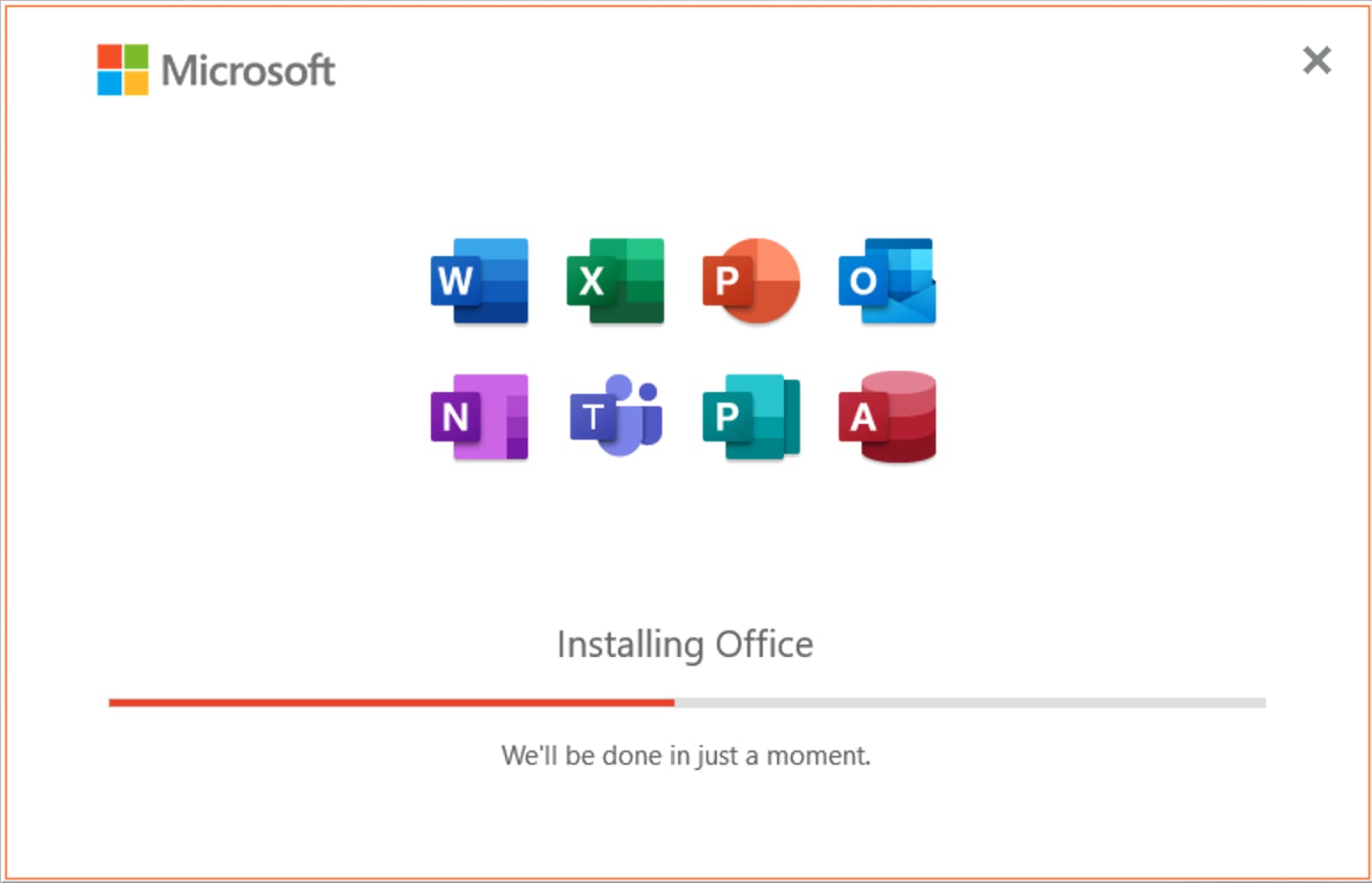
  3. Wait for the installation to complete — this can take several minutes.
  4. When it finishes, open any Office app, such as Word or Excel.

Step 4 — Activate with your product key

Launch any Office application — Excel, for example — and enter the product key from your Flixeasy delivery email when prompted.
Enter Office 2021 Professional Plus product key in the activation window

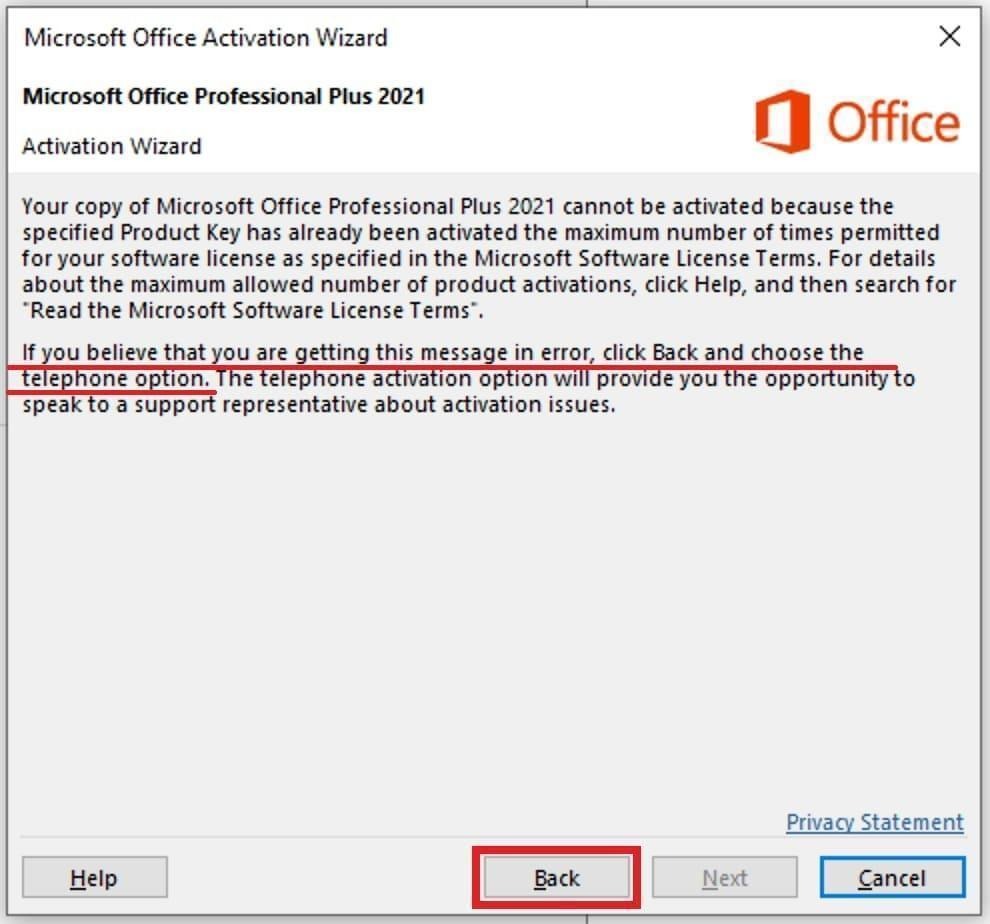
If online activation succeeds, you’re done — skip to the end. If you see an activation error, don’t worry: your key is valid, and telephone activation (below) completes it in a few minutes.
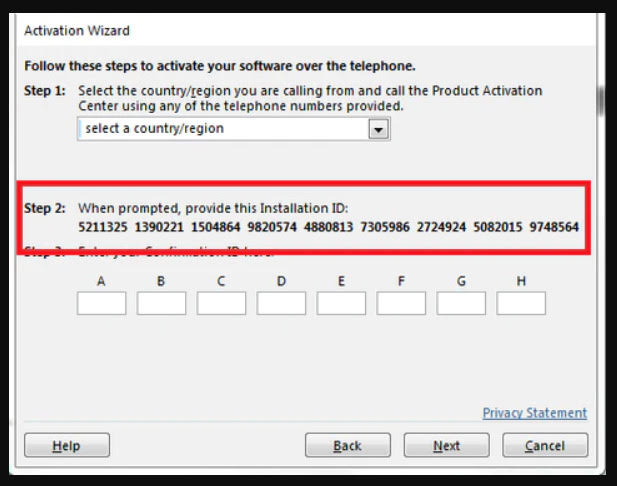
Activation error? Activate by telephone

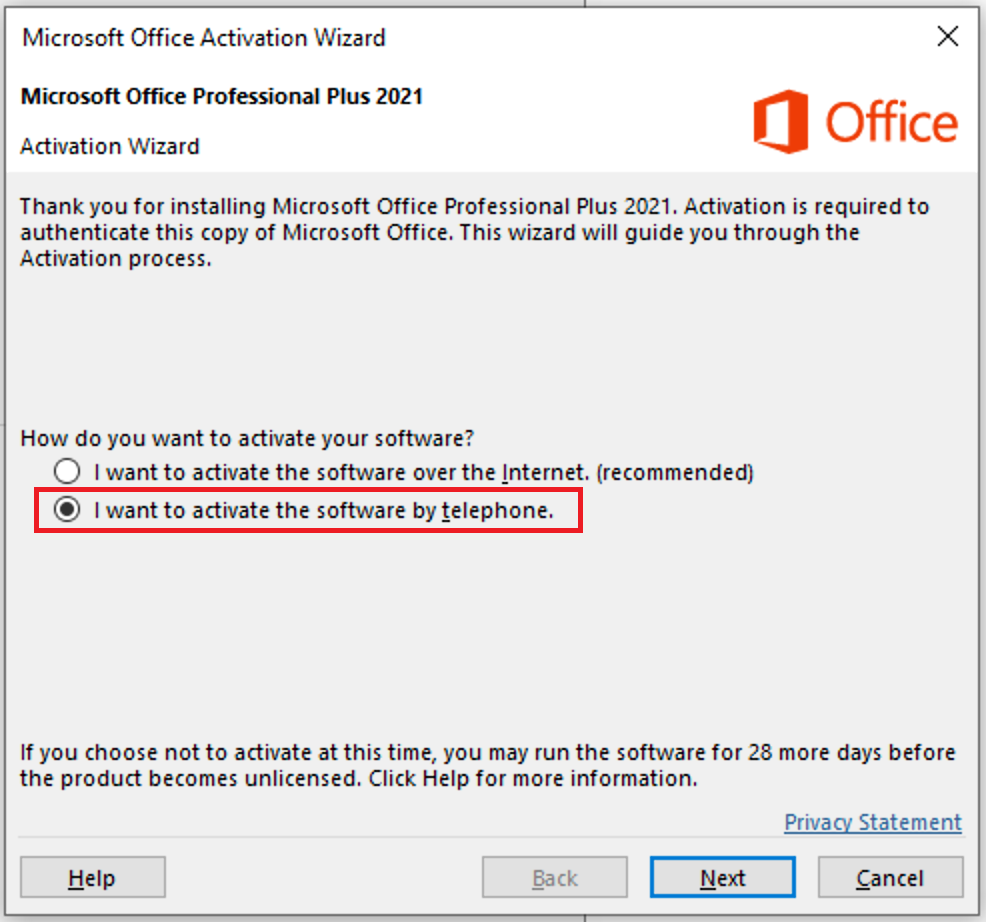
    1. In the Activation Wizard, select “I want to activate the software by telephone” and click Next.
    2. Office 2021 Activation Wizard with telephone activation option selected
  1. Select telephone activation in Office 2021 Activation Wizard
  2. The wizard displays your Installation ID. To get your Confirmation ID, go to our free tool: Get Confirmation ID.
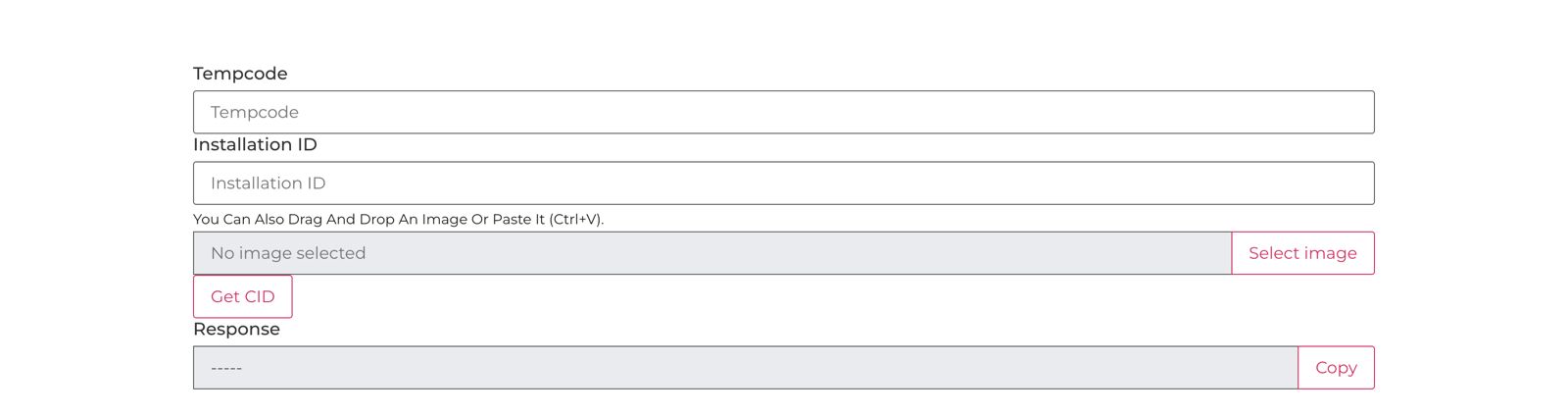
  3. On that page, paste your Installation ID into the Installation ID field and enter your Tempcode (shown next to your product key in the delivery email) into the Tempcode field.
    Get Confirmation ID tool for Office 2021 telephone activation
  4. Click Get CID — you’ll receive your Confirmation ID.
  5. Copy the Confirmation ID into the wizard’s Confirmation ID fields and click Next.
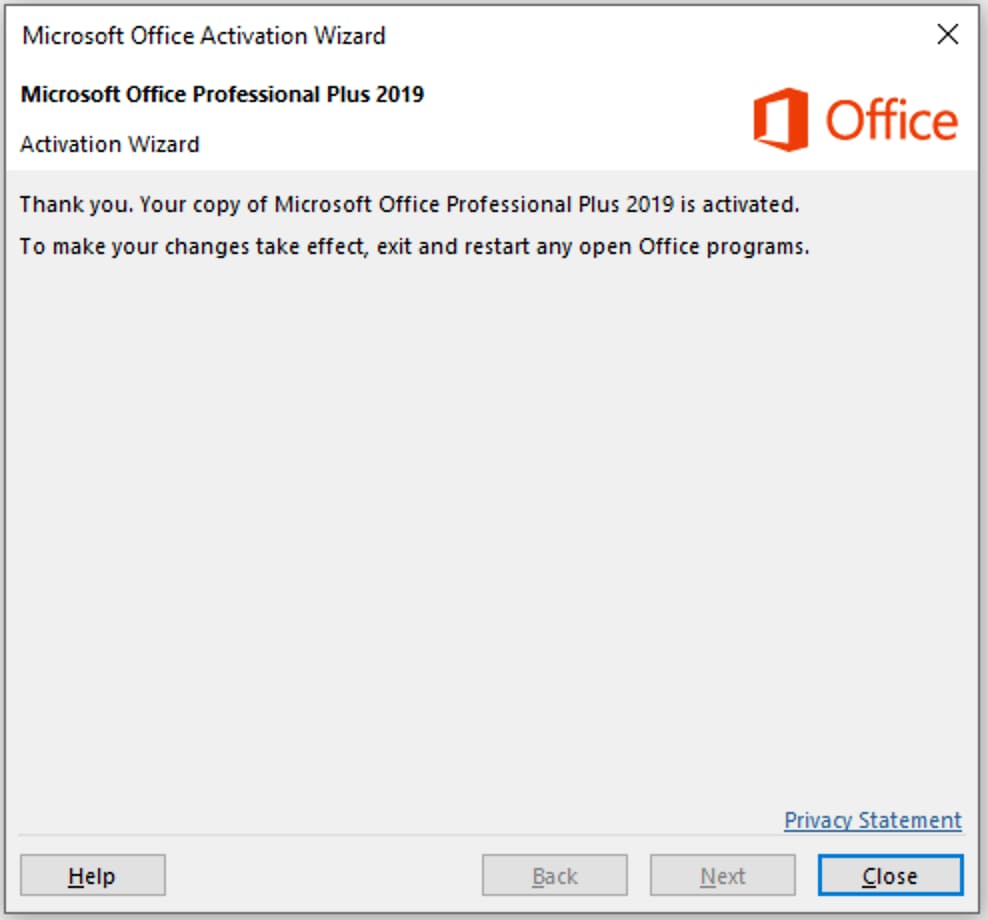
  6. The Activation Wizard confirms successful activation — Office 2021 Professional Plus is now fully licensed.
    Office 2021 Professional Plus activated successfully

Frequently asked questions

Is Office 2021 Professional Plus a lifetime license?

Yes — it’s a perpetual, one-time purchase with no subscription or renewal fees. The license covers 1 PC.

What apps are included?

Word, Excel, PowerPoint, Outlook, Access, Publisher, and OneNote — the complete professional suite, fully installed on your PC.

Do I need a Microsoft account?

Only for the download page sign-in. Activation itself works with your product key — including entirely offline via the telephone method.

Why did online activation show an error?

Some Office 2021 keys activate through the telephone channel rather than online — it’s a normal part of how Microsoft validates this edition, not a problem with your key. The telephone steps above (with our free Get Confirmation ID tool) complete activation in a few minutes.

Can I reinstall Office 2021 later?

Yes — keep your delivery email. Reinstall from the same download and reactivate with your key; if you need help, our support team responds fast.

Get Office 2021 Professional Plus for your PC

Genuine lifetime activation key for 1 PC — instant email delivery, unbeatable price, and support whenever you need it.
Buy Office 2021 Pro Plus key

Browser Our Products Cateregories

Our Best Selling Products

Your Cart (1)
Empty Cart Your Cart is Empty!

It looks like you haven't added any items to your cart yet.

Browse Products
Subtotal
Shipping & taxes calculated at checkout.
$11.99
Checkout Now