This guide will help you
download, install, and activate Microsoft Word 2024 with a bind key on Mac systems. A bind key links your license to your Microsoft account instead of a single machine — so you can reinstall Word any time by simply signing in.
Don’t have a key yet? You can buy a genuine
Microsoft Word product key from Flixeasy with instant email delivery, lifetime activation, and no subscription.
What you’ll need
- A Microsoft Word bind key — for example an Word 2024 product key . Flixeasy delivers keys by email within seconds.
- A Microsoft account — free to create if you don’t have one.
- An internet connection for the download and first activation.
System requirements
| Requirement | Details |
|---|
| Operating system | macOS 12 Monterey or later |
| Processor | Intel or Apple Silicon (M1 or later) |
| RAM | 4 GB or higher |
| Disk space | 10 GB available space |
| Internet | Required for download, activation, and email sync |
Part 1 — Bind the key to your Microsoft account
Step 1 — Open the Microsoft services page
Go to the official Microsoft account page at
account.microsoft.com/services.
Step 2 — Sign in
Sign in to your Microsoft account, or create one if needed. This account will hold your Word license permanently, so use one you’ll keep.
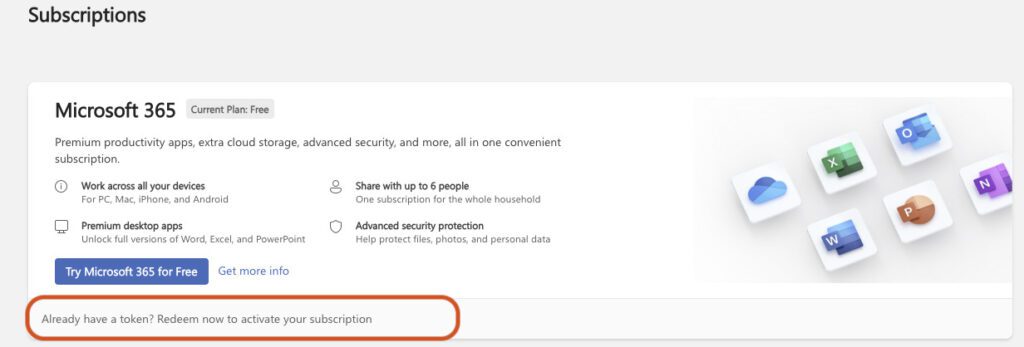
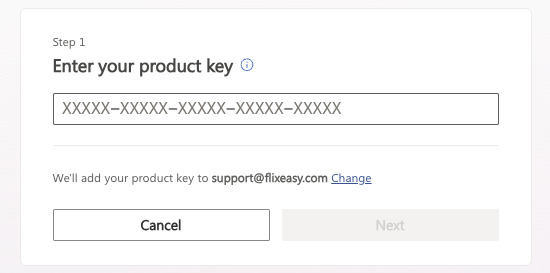
Step 3 — Start the redemption
In the
Services & subscriptions section, select
“Have a prepaid product key? Start using your subscription”.