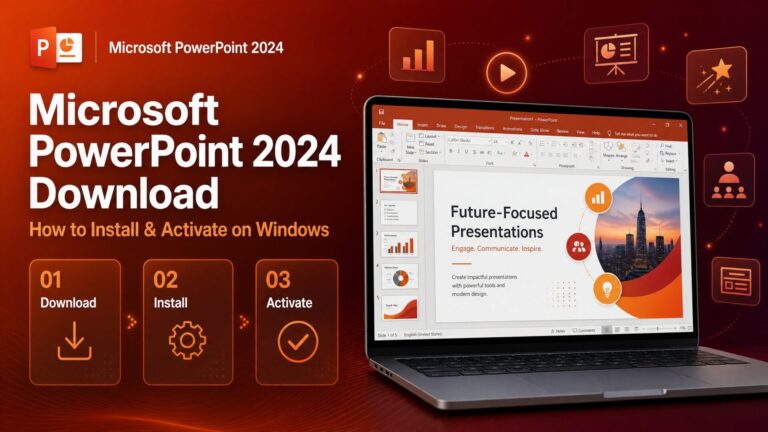
Microsoft PowerPoint 2024 is the standalone version of Microsoft’s email and calendar app for Windows — a one-time purchase with no subscription, giving you the full classic PowerPoint experience: email, calendar, contacts, and tasks in one place. In this guide, we’ll walk you through the complete PowerPoint 2024 download, installation, and activation process on Windows, step by step.
Purchased from Flixeasy? Everything you need is in your inbox — the download link and these steps are sent again in the delivery email, so you can set up directly from there. Don’t have a key yet? Get a genuine Microsoft PowerPoint product key with instant email delivery and lifetime activation.
System requirements
| Requirement | Details |
|---|
| Operating system | Windows 10 or Windows 11 |
| Processor | 1.6 GHz or faster, dual-core |
| RAM | 4 GB (64-bit) or 2 GB (32-bit) |
| Disk space | 4 GB of available space |
| Display | 1280 × 768 resolution |
| Internet | Required for download, activation, and email sync |
Step 1 — Redeem your Microsoft PowerPoint 2024 product key
- Go to setup.office.com — Microsoft’s official redemption page.
- Sign in with your Microsoft account, or create one for free if you don’t have it. This account will hold your PowerPoint license, so use one you’ll keep.
- Enter the 25-character product key from your Flixeasy delivery email and click Next.
Your key is now linked to your Microsoft account — you won’t need to type it again, even if you reinstall later.
Step 2 — Download PowerPoint 2024
- Go to office.com and sign in with the same Microsoft account.
- From the Microsoft 365 homepage, click Install Office — or open account.microsoft.com → Services & subscriptions, find PowerPoint 2024, and click Install.
- The PowerPoint installer downloads to your PC.
Step 3 — Install Microsoft PowerPoint 2024
- Open the downloaded file and allow it to run when prompted.
- The installer downloads and configures PowerPoint automatically — this takes a few minutes.
- When it finishes, find PowerPoint in your Start menu and open it.
Step 4 — Activate PowerPoint 2024
- Launch PowerPoint 2024.
- When prompted, sign in with the same Microsoft account you used to redeem the key in Step 1.
- PowerPoint activates automatically — no key entry needed, because the license is already attached to your account.
- Add your email account(s) and you’re ready to go.
Always sign in with the same account you redeemed the key on — signing in with a different Microsoft account is the most common cause of “unlicensed product” messages after installation.
Troubleshooting common issues
Download errors
Check your internet connection, and temporarily disable any VPN or firewall that might interfere with the download from Microsoft’s servers.
Installation failures
Confirm your PC meets the system requirements and has at least 4 GB of free space. If an older Office or PowerPoint version is installed, remove it first via Settings → Apps, restart, and try again.
Activation issues
Make sure you’re signed in with the exact Microsoft account you redeemed the key on (File → Office Account → Sign out, then sign back in). If problems persist, contact Flixeasy support — every key is covered by our money-back guarantee.
Frequently asked questions
Is PowerPoint 2024 a one-time purchase?
Yes — it’s a perpetual license: pay once, use it for life on your PC. No monthly fees and no subscription.
Do I need a Microsoft account?
Yes — the key is redeemed through your Microsoft account, which then handles activation automatically. The upside: you can reinstall any time just by signing in, without re-entering the key.
Can I reinstall PowerPoint 2024 after formatting my PC?
Yes — go back to office.com or account.microsoft.com, sign in with the same account, and click Install again. The license follows your account.
Does PowerPoint 2024 include Word and Excel?
No — it’s the standalone PowerPoint app. If you want the full suite, an Office 2024 product key includes PowerPoint together with Word, Excel, PowerPoint and more.
Is this the classic PowerPoint or the new PowerPoint app?
Outlook 2024 is the full classic desktop PowerPoint — complete with offline support, rules, PST files, and add-in compatibility that power users rely on.
Does it work with Gmail and other email providers?
Yes — PowerPoint 2024 supports Outlook.com, Gmail, Yahoo, iCloud, and any standard IMAP/POP or Exchange account.
Get your Microsoft PowerPoint 2024 key
Genuine product key with instant email delivery — download link and installation steps included in every order. One-time purchase, lifetime activation.
Buy PowerPoint product key