 Windows 10 Home is Microsoft’s most popular operating system for personal and home use, offering a clean design, fast performance, and essential features for everyday computing. Whether you’re setting up a new PC or upgrading from an older version of Windows, this guide will walk you through the process from start to finish.
1. Check System Requirements
| Component | Minimum Requirement | Recommended Requirement |
|---|---|---|
| Processor | 1 GHz or faster with PAE, NX, and SSE2 support | 2 GHz dual-core or faster |
| RAM | 1 GB (32-bit) or 2 GB (64-bit) | 4 GB or more |
| Storage | 32 GB free space | 64 GB or more |
| Graphics | DirectX 9 or later with WDDM 1.0 driver | DirectX 12 with WDDM 2.0 driver |
| Display | 800×600 resolution | 1366×768 or higher |
2. Download the Installation Media
When you purchase your Windows 10 Home license from us, we will send you the official Microsoft download link along with a detailed installation guide.
Click Here To Buy Windows 10 Home Product Key
Downloading directly from Microsoft ensures you get the latest version of Windows, free from viruses or modified files.
3. Install Windows 10 Home
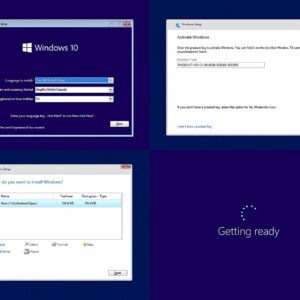
Once you have the official download link and installation tool:
Create Installation Media
Download the Microsoft Media Creation Tool provided after purchase.
Use it to create a bootable USB drive (minimum 8 GB).
Begin Installation
Insert the USB drive into your PC and restart it.
Open the boot menu (usually by pressing F2, F12, Esc, or Delete) and select your USB drive.
Setup Process
Choose your preferred language, time, and keyboard settings.
Click Install Now and select Windows 10 Home as your edition.
Follow the on-screen prompts until installation is complete.
4. Activate Windows 10 Home
After the installation is complete:
Open Settings → Update & Security → Activation.
Enter the product key provided to you upon purchase.
Once verified, Windows 10 Home will be fully activated and ready to use.
If you are upgrading from a previously activated copy of Windows 10 Home, your license may activate automatically.
Why Choose Windows 10 Home from Us?
100% Genuine Microsoft License
One-time payment with lifetime activation
Instant email delivery
Step-by-step installation instructions included
Professional and friendly customer support
Get Started Today
Windows 10 Home offers everything you need for reliable, secure, and smooth performance at home. Upgrade or install it today for a better computing experience.
Click Here To Buy your Windows 10 Home product key now.