🔥 Cyber Week is Here! : Our Best Black Month Deals Are Back — Save Up to 70% on Essential Software.

Volume Licences | Bulk orders

How to Download, Install, and Activate Office 2021 Professional Plus

Are you ready to unlock the full power of Microsoft Office with Office 2021 Professional Plus? Whether you’re upgrading from an older version or installing Office for the first time, this easy-to-follow guide will walk you through the entire process of downloading, installing, and activating Office 2021 Professional Plus step by step.

1. Check System Requirements for Office 2021 Professional Plus

Before you begin, make sure your PC meets the minimum system requirements to run Office 2021 Professional Plus smoothly:

  • Operating System: Windows 10 or later (64-bit recommended)

  • Processor: 1.6 GHz or faster, 2-core processor

  • RAM: 4 GB or more

  • Storage: At least 4 GB of available disk space

  • Display: 1280 x 768 screen resolution or higher

  • .NET Version: Some features may require .NET 3.5 or 4.6 and higher

Ensuring your device meets these requirements guarantees a seamless Office experience without performance issues.

2. Download the Office 2021 Professional Plus Installation Media

To get started with Office 2021 Professional Plus, you’ll need the official installation files:

  • Go to the official Microsoft download page here: Download Office 2021 Professional Plus

  • Sign in with your Microsoft account if prompted

  • Choose Office 2021 Professional Plus from the available options

  • Download the installation file (usually an .exe file for Windows)

Downloading directly from Microsoft ensures you get the latest and safest version.
3. Install Office 2021 Professional Plus

After downloading, follow these steps to install Office:

  • Locate the downloaded installation file and double-click to run it

  • Follow the on-screen prompts to begin installation

  • Accept the license terms and conditions

  • Wait for the installation to complete (this may take several minutes)

  • Once installed, open any Office app like Word or Excel to start using it

4. Activate Office 2021 Professional Plus
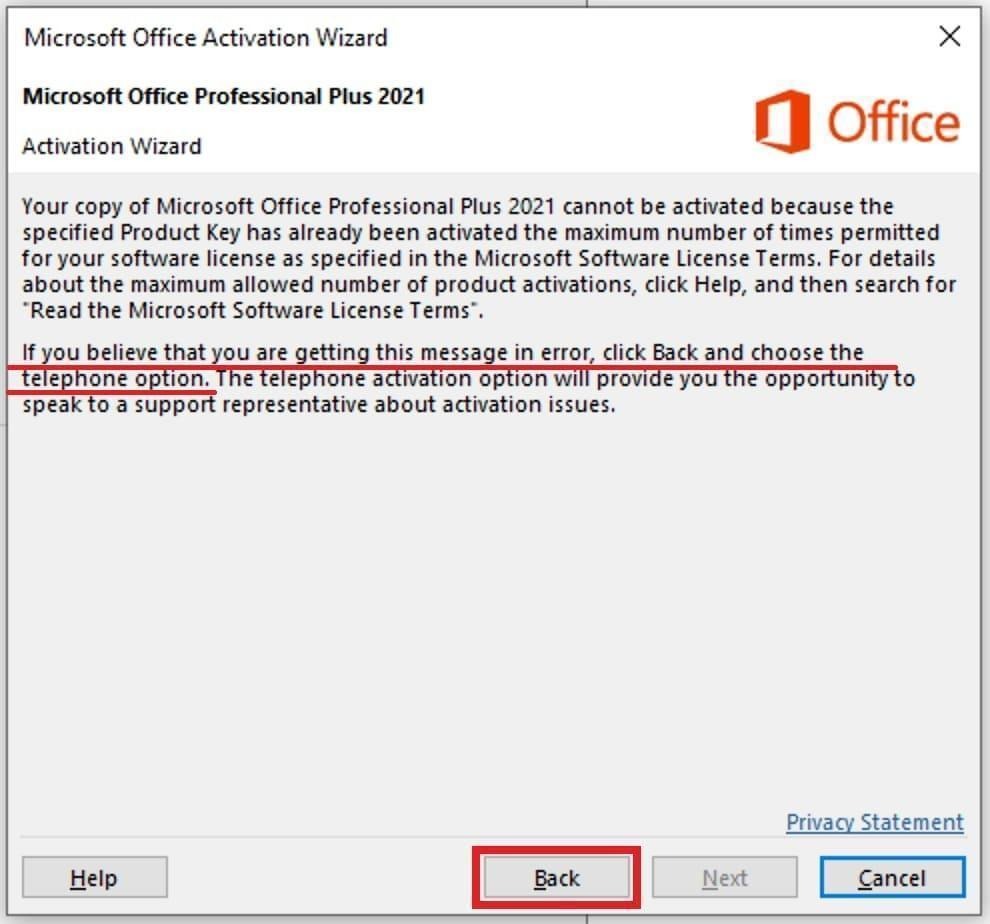
Install Office 2021 on your computer (if you haven’t installed it yet), then launch any of its applications, for example Excel. Enter the product key you purchased there. If you don’t have one, you can purchase it in our catalog on the next page.

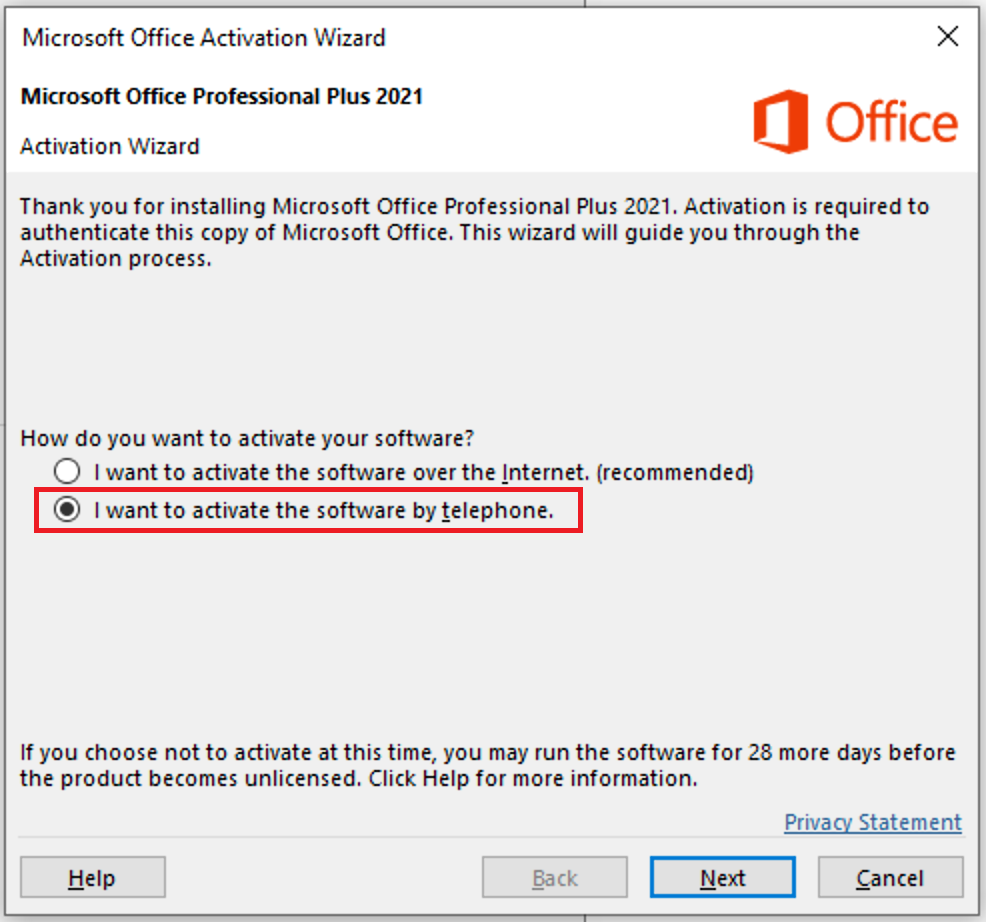
In this step, if you encounter an activation error while activating Microsoft Office 2021 over the Internet, it will be necessary to activate the Office application by phone.


2) After selecting the item “I want to activate the software by telephone” and click next.


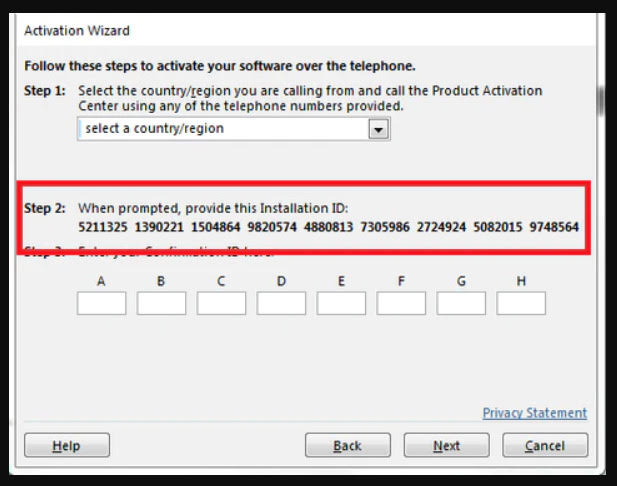
Once you receive your Activation ID, please go to the following page to obtain your Confirmation ID. Here is the link to the page: Get Confirmation ID

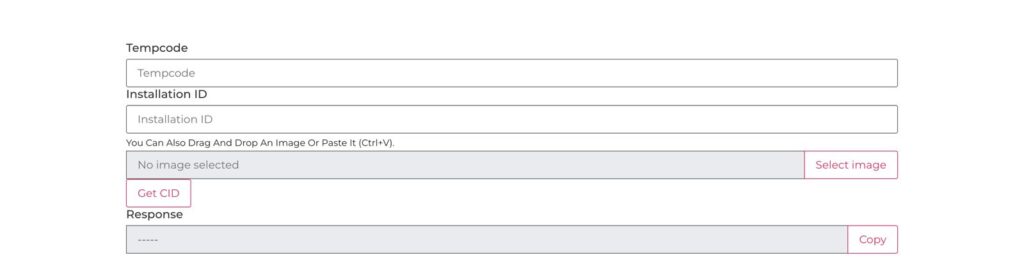
Please copy and paste your Confirmation ID into the “Installation ID” field, and enter your Tempcode into the “Tempcode” field. (Your Tempcode is shown next to the product key above.)

Once you finish entering the details, click on the “Get CID” button.
You will then receive your Confirmation ID simply copy and paste it into the “Confirmation ID” section.

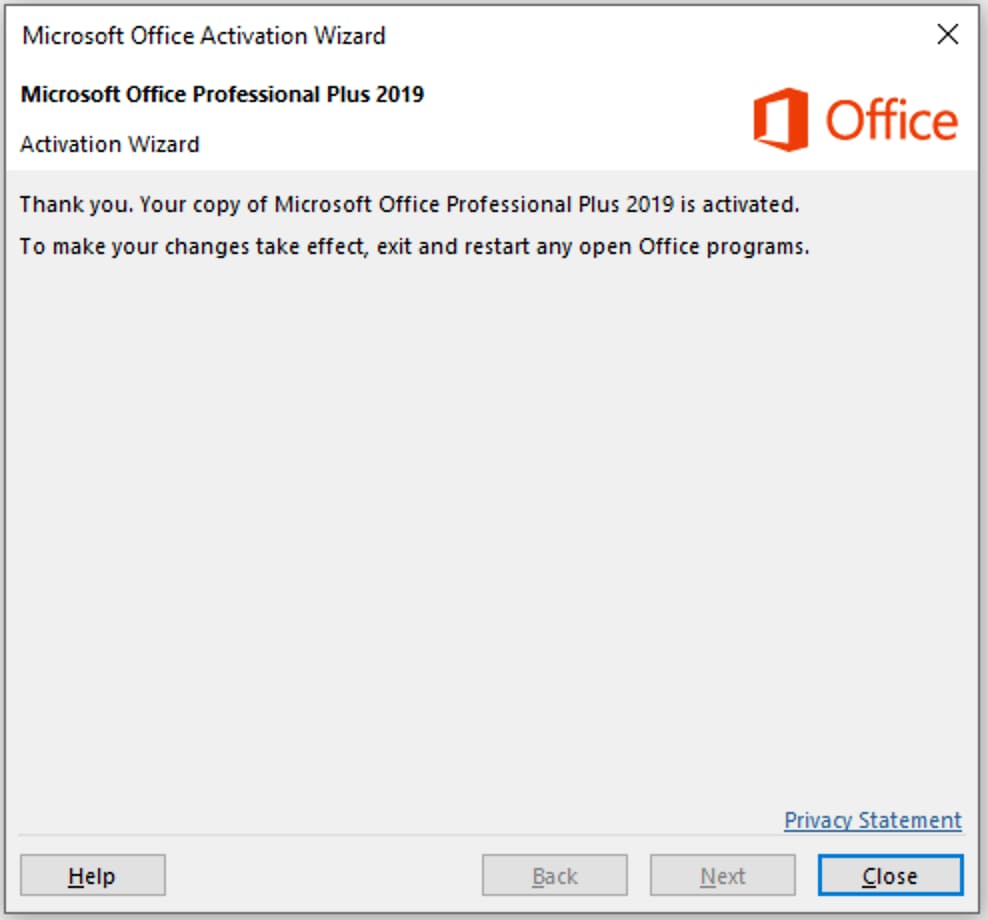
If everything was successful, then after clicking on the “Next” button, the activation wizard will display a window about successful activation!


Why Choose Our Office 2021 Professional Plus License?

Buying from us means you get:

  • A genuine, lifetime activation key for 1 PC
  • Instant delivery via email no waiting or delays
  • Affordable pricing backed by authorized reseller status
  • Reliable customer support ready to assist you anytime

Ready to Get Office 2021 Professional Plus for Your PC?

Upgrade your productivity with the full suite of Microsoft Office tools today. Don’t miss out on this limited-time offer for an authentic Office 2021 Professional Plus license at an unbeatable price:

 Buy Microsoft Office 2021 Professional Plus Lifetime Activation (1 PC)

Final Thoughts

Office 2021 Professional Plus brings you powerful tools like Word, Excel, PowerPoint, Outlook, and more all designed to help you work smarter and faster. By following this guide, you can download, install, and activate Office confidently without hassle.

If you encounter any issues or need further help, our friendly support team is just a message away

Leave a Reply

Your email address will not be published. Required fields are marked *

0
Empty Cart Your Cart is Empty!

It looks like you haven't added any items to your cart yet.

Browse Products