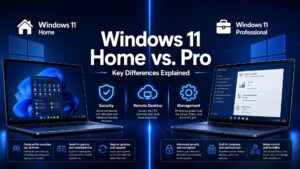
 Windows 10 Pro is one of the most powerful and reliable operating systems from Microsoft, designed for professionals, businesses, and power users who want security, speed, and premium features. If you’re ready to upgrade or install it on your PC, this guide will walk you through every step — from checking requirements to full activation.
1. Check System Requirements
Before installing Windows 10 Pro, make sure your computer meets the minimum specs:
-
Processor: 1 GHz or faster (compatible with PAE, NX, and SSE2)
-
RAM: 1 GB for 32-bit or 2 GB for 64-bit (4 GB or more recommended)
-
Storage: At least 32 GB free space
-
Graphics: DirectX 9 or later with WDDM driver
-
Display: Minimum 800×600 resolution
Tip: The better your hardware, the faster and smoother Windows 10 Pro will run.
2. Download the Installation Media
When you purchase your Windows 10 Pro license from us, we will send you the official Microsoft download link along with detailed installation instructions.
Click here to Buy Windows 10 Pro Product Key
This ensures you’re downloading directly from Microsoft — safe, secure, and up-to-date.
3. Install Windows 10 Pro
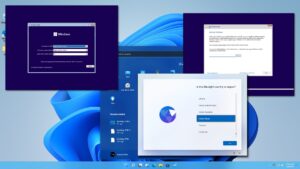
Once you have the official download link:
-
Create Installation Media
-
Download the Microsoft Media Creation Tool from the link we provide.
-
Use it to create a bootable USB drive (8 GB or more).
-
-
Start the Installation
-
Insert the USB into your PC and restart.
-
Access the boot menu (usually F2, F12, Esc, or Delete during startup).
-
Select the USB drive to boot from.
-
-
Follow On-Screen Steps
-
Choose language, time, and keyboard layout.
-
Select “Install Now” and pick Windows 10 Pro as the edition.
-
Continue following the prompts until installation completes.
-
Why Buy Windows 10 Pro from Us?
-
100% Genuine Microsoft License
-
One-time payment — lifetime activation
-
Instant email delivery
-
Step-by-step installation guide
-
Friendly, dedicated customer support
Get Started Today
If you want to boost your computer’s performance, enhance security, and unlock advanced features for work or personal use, Windows 10 Pro is the perfect choice. With a genuine license, you get lifetime activation, regular security updates, and full compatibility with the latest software. Whether you’re upgrading from an older version of Windows or installing it on a new PC, the process is simple and secure.