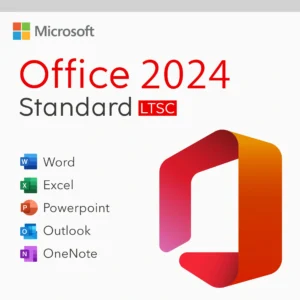
 Microsoft Office 2024 Standard LTSC (Long-Term Servicing Channel) is a robust productivity suite designed for long-term stability, security, and offline use. Whether you’re a business user, student, or home office professional, this version is perfect for those who prefer a one-time purchase without monthly subscriptions.
In this guide, we’ll walk you through everything you need to know to download, install, and activate Office 2024 Standard LTSC, step by step.
1. Check System Requirements
Before installing Microsoft Office 2024 Standard LTSC, make sure your PC meets the minimum system requirements:
Operating System: Windows 10 or Windows 11
Processor: 1.6 GHz or faster, 2-core processor
RAM: 4 GB (64-bit); 2 GB (32-bit)
Hard Disk Space: 4 GB of available disk space
Display: 1280 x 768 screen resolution
.NET version: Some features may require .NET 3.5 or 4.6 and higher
Upgrading your system if needed ensures the software runs smoothly and securely.
2. Download the Installation Media
Once you’ve confirmed your PC is compatible, download the official Office deployment tool using this Microsoft official link:
Download Microsoft Office Installation Tool
This tool helps set up and download the full version of Office 2024 Standard LTSC.
3. Install Microsoft Office 2024 Standard LTSC

After downloading the tool:
Extract the downloaded ZIP file to a folder on your desktop.
Open the folder and locate the
setup.exefile.Run Command Prompt as Administrator and navigate to the folder where you extracted the setup files.
Use the following command to install:
setup.exe /configure configuration.xml
Make sure the configuration.xml file is correctly set up for Office 2024 Standard LTSC. You may receive it with your license, or we’ll provide it with your purchase at Flixeasy.
4. Activate Microsoft Office 2024 Standard LTSC
After installation is complete:
Open any Office app (Word, Excel, etc.).
When prompted, enter your product key.
Click Activate and wait a few moments for confirmation.
If activation fails or you’re switching devices, feel free to reach out to our support team for help.
Why Choose Microsoft Office 2024 Standard LTSC?
One-time purchase with lifetime activation
No subscription or recurring fees
Secure, offline use for business or government environments
All essential Office apps like Word, Excel, PowerPoint, Outlook, and more
Get Your Genuine Office 2024 Standard LTSC License Now
Ready to experience the power and reliability of Office 2024?
Buy Microsoft Office 2024 Standard LTSC Lifetime License for 1 PC
Enjoy instant delivery, detailed installation guides, and dedicated support from our team.